Connect your Woocommerce store with Quarticon and increase sales without the need to install any other tools or invest in media.
Our Woocommerce plugins let you enable our AI Smart Search in your Woocommerce store, product recommendations, advanced AI product recommendation engine, Lookbook, Social Storefront and many more.
Quarticon Track & Train Plugin for Woocommerce
Track and Train
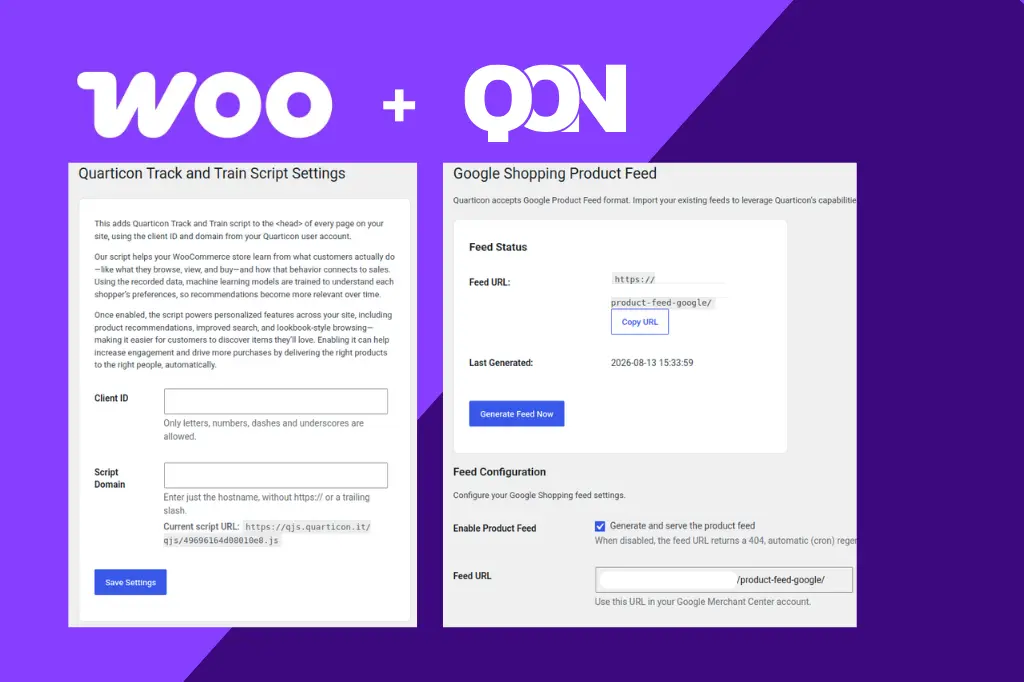
Our Plugin Quarticon Track and Train ads the main script to the <head> of every page on your site, using the client ID and domain from your Quarticon user account. Our script helps your WooCommerce store learn from what customers actually do—like what they browse, view, and buy—and how that behavior connects to sales. Using the recorded data, machine learning models are trained to understand each shopper’s preferences, so recommendations become more relevant over time. Once enabled, the script powers personalized features across your site, including product recommendations, improved search, and lookbook-style browsing—making it easier for customers to discover items they’ll love. Enabling it can help increase engagement and drive more purchases by delivering the right products to the right people, automatically. You have to just provide: Client ID and Script Domain (in case you use our 1st party onboarding).
Access to products
Quarticon accepts Google Product Feed format. You can import your existing feeds to leverage Quarticon’s capabilities (in this case you can switch off generating the feed by this plugin), or generate the feed in the plugin.
How to Use the Feed in Quarticon
- Copy the feed URL above.
- Log in / Sign up to Quarticon
- Go to Catalogs > Add product catalog.
- Create a new catalog, paste the feed URL and select field mapping.
- Set the fetch schedule (recommended: every 6 hours).